Become a Bid Ready Affiliate
Know a business that needs better policies?
You could earn money by introducing them to the Bid Ready Policy Kit™.
The Bid Ready Policy Kit is a ready-to-use library of policy templates and tender-focused resources designed to help businesses get their policies organised and become more bid-ready — without starting from a blank page.
If you know someone who could benefit from it, simply share your affiliate link.
When someone buys through your link, you earn commission.
Who can become an affiliate?
Pretty much anyone.
You don't need to be a bid expert, consultant or procurement professional.
You might be:

If you have a network, an audience or even just a few useful business contacts, you can become a Bid Ready Affiliate. You can gain access to the FREE Starter Pack before committing which contains sample policies, resources, video and user guide access.
What you're recommending
The Bid Ready Policy Kit™
A practical toolkit containing 60 ready-to-use policy templates, a user guide, how-to videos, a tender evidence matrix, policy register and supporting resources.
It's designed for businesses that have been told:
“You need a policy for that.” or “You need to provide this as part of the tender.”
Instead of creating everything from scratch, they have a starting point.
WHAT IS THE PROBLEM WITH POLICIES?
Many businesses ignore them. Just use a templated copy. When an organisation should be selling their business through them, buyers look at them in detail. I always say “they are a window into your world”. Your prospect wants to find as much as possible about a future partner through learning about how they work. This is the easiest way to do it and the easiest way to win business.
How much can I earn?
You receive 40% commission on qualifying sales made through your affiliate link.
For example, if someone purchases a £147 product through your link, your commission would be £58.80. This product is currently in Beta phase while I trial it in the UK market, full launch price will be £297 which gives an enhanced commission of £118.80.
The more relevant people you introduce, the more you can earn. All payments are handled through the Beacons Platform, so all information remains confidential. I have no access to any of your data.
How to become a Bid Ready Affiliate
I've made this really simple.
1. Create your Beacons account
Go to Beacons and create an account if you don't already have one.
2. Get your unique affiliate link
The only product I have available currently as an affiliate link is for my Bid Ready Policy Kit. The affiliate link for this is https://winningbusiness.store/shop/50aff2b4-9696-4b51-a796-05418424497d?affiliateLinkId=f7e6e7c0-090c-4338-b629-e444e05f51c2
3. connect your link
Once you create your `Beacons account, and add my product to your page with this affiliate link, it will give you a unique link which you can share with others. All sales and payments are tracked through the platform, I have no involvement, which makes it super easy to get paid and make more money with no cap on commission.
4. share your link
You can share it wherever it makes sense for you:
Social media
TikTok • YouTube • LinkedIn • Facebook • Instagram • Pinterest
Directly with people
Email • WhatsApp • Messenger • DMs
Your own platforms
Website • Newsletter • Blog • Resources page
You can also simply send the link to a business owner who you think would find the kit useful.
5. step by instructions
Follow the step by step instructions below, where I take you through every step. It is all very easy. There are visual instructions given below.
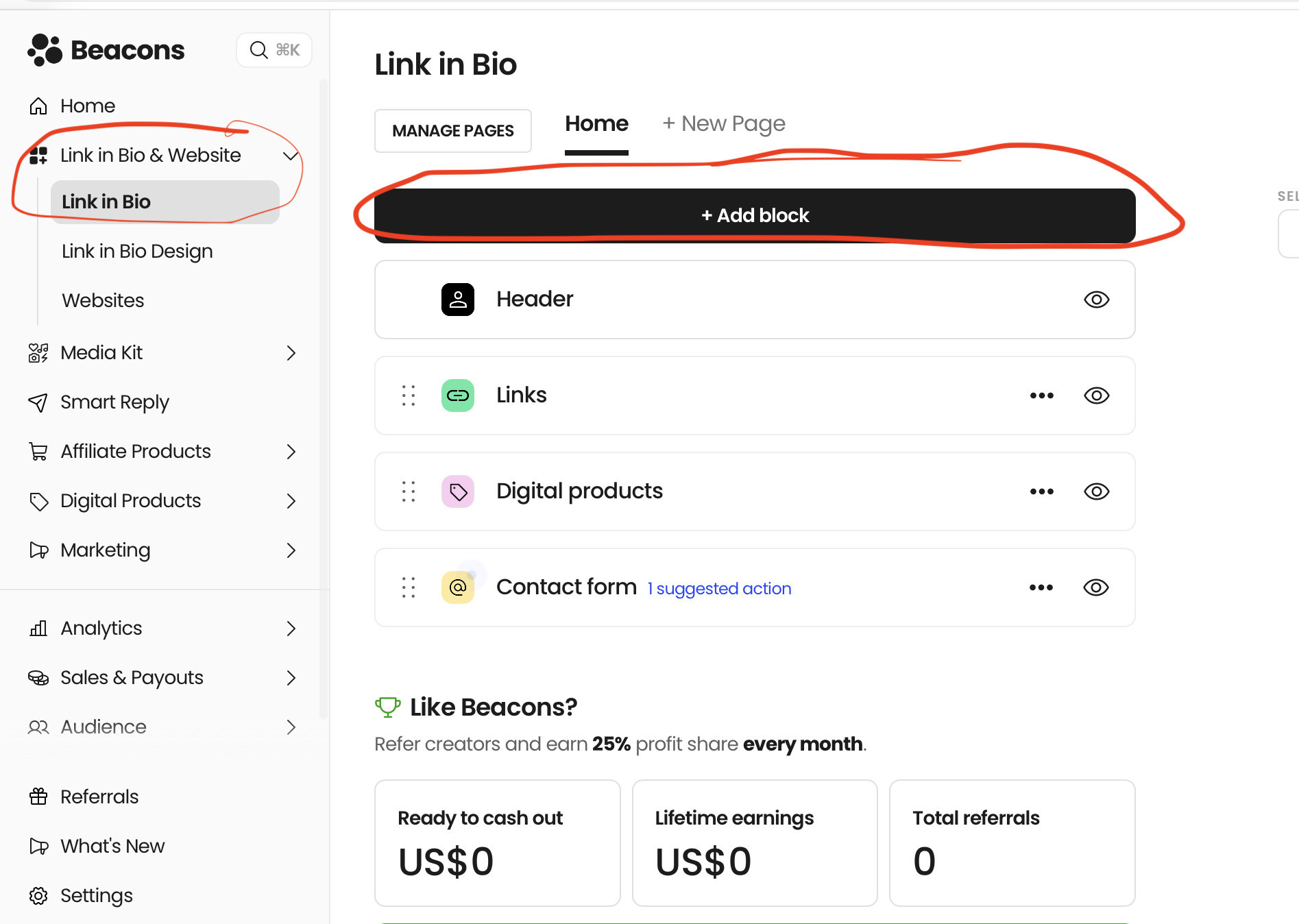
SELECT LINK IN BIO & SELECT “ADD BLOCK”.
We need to add a block in order to list products on our profile. Select this function as per the image below.
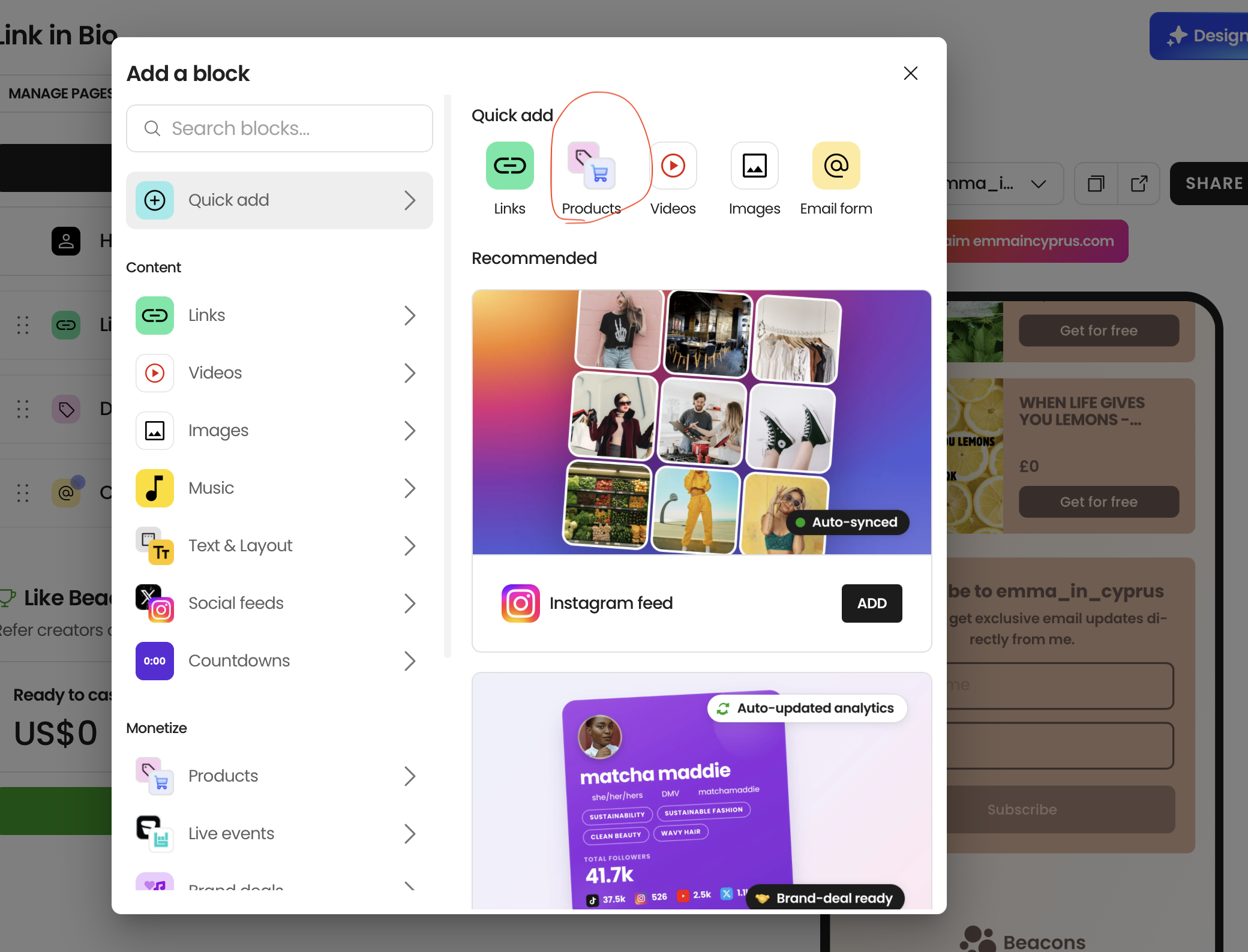
CHOOSE THE PRODUCT ICON
The following page will be displayed. Choose the “Products” icon as shown.
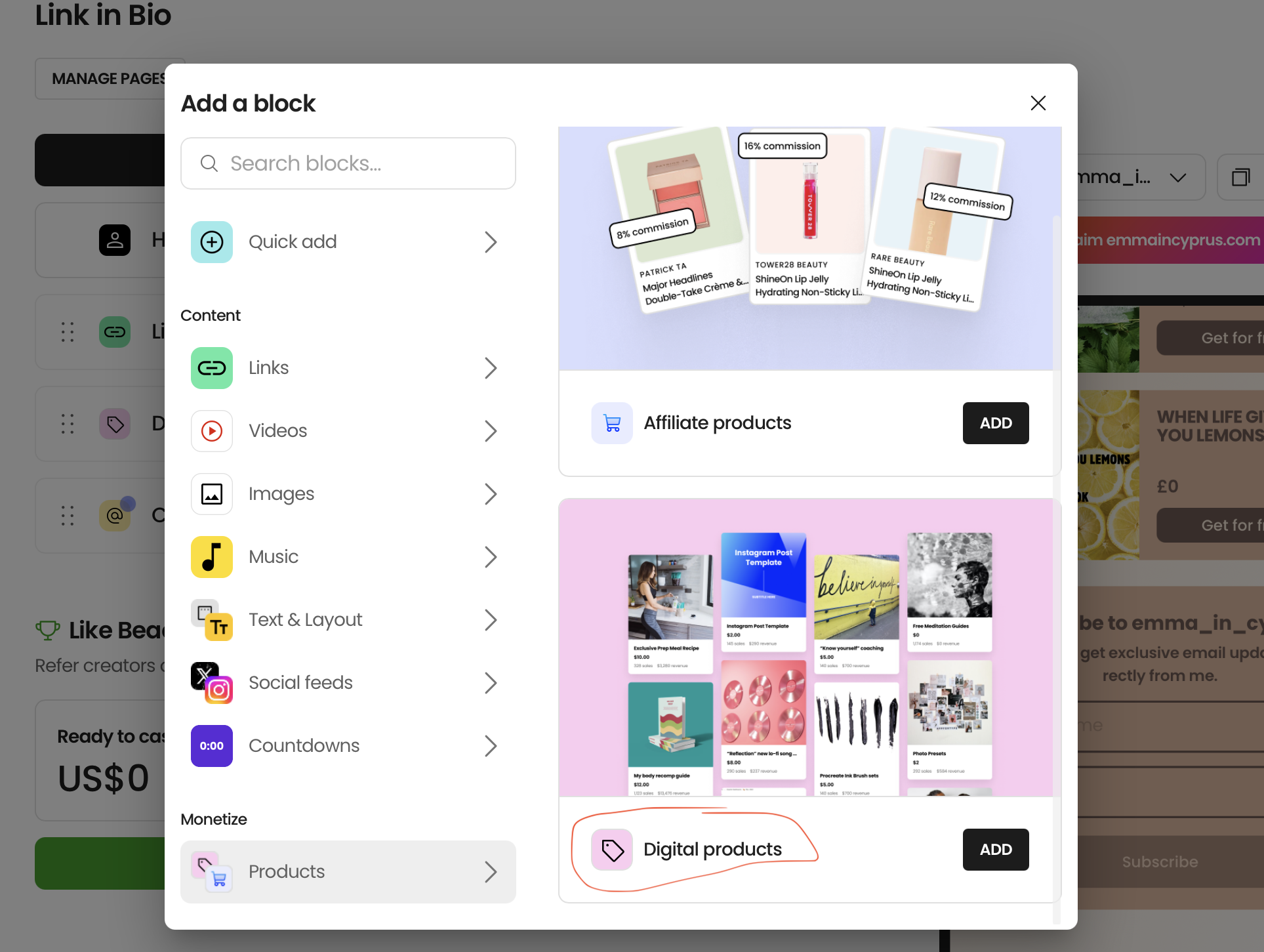
CHOOSE DIGITAL PRODUCTS
Scroll down the page and choose “Digital Products”.
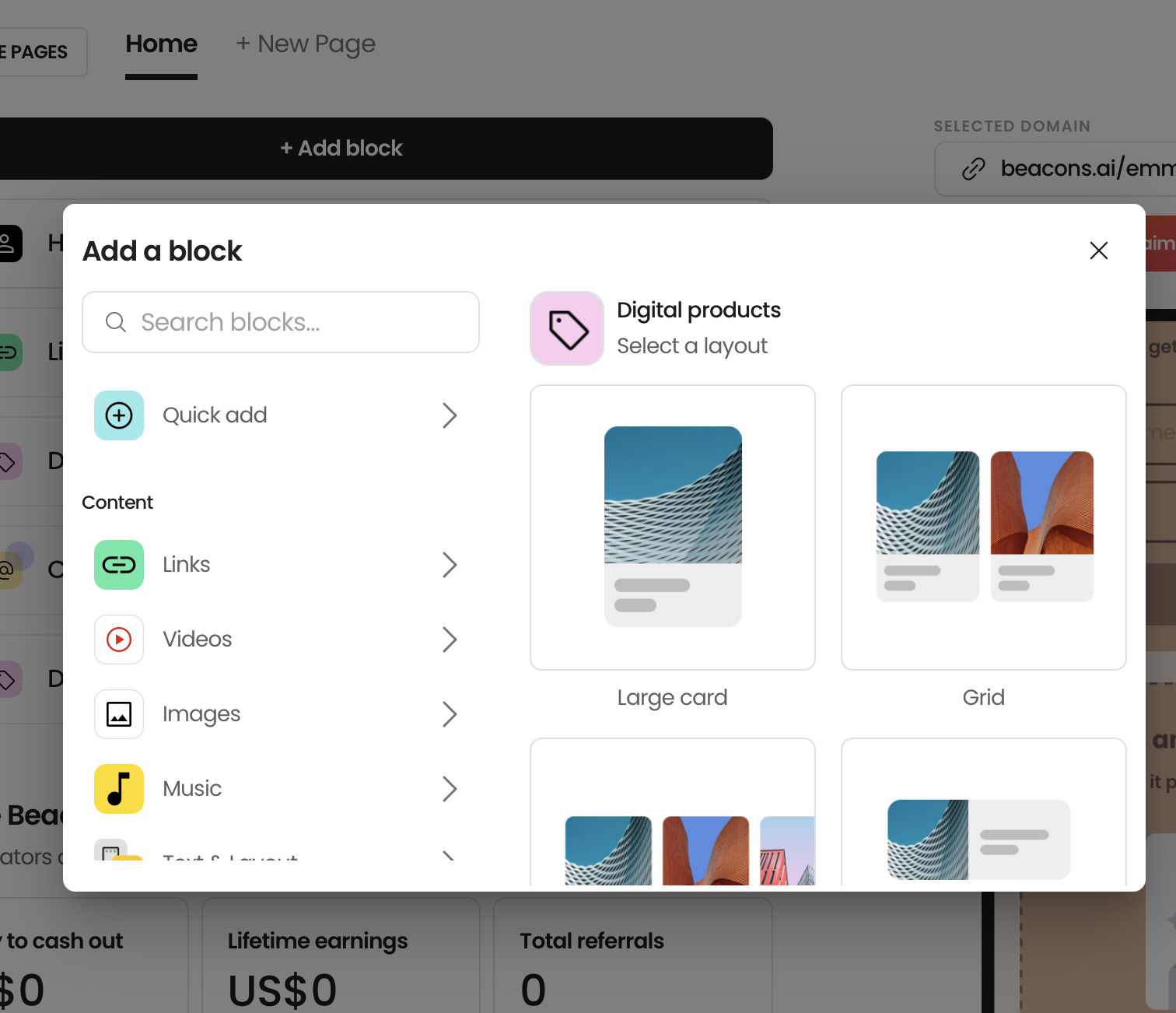
SELECT A LAYOUT
Choose your layout, it doesn’t matter which one.
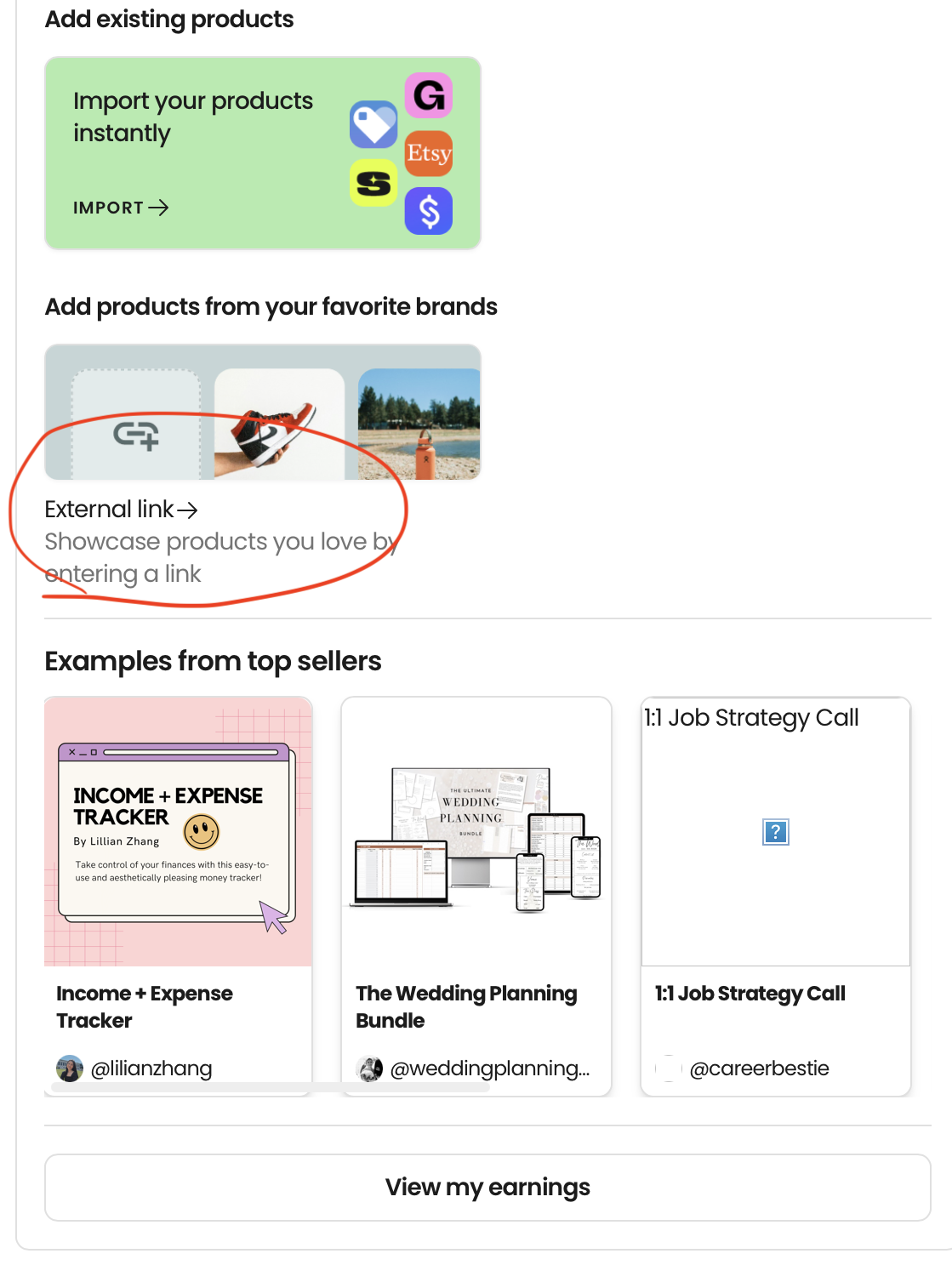
CHOOSE EXTERNAL LINK
Select External Link.
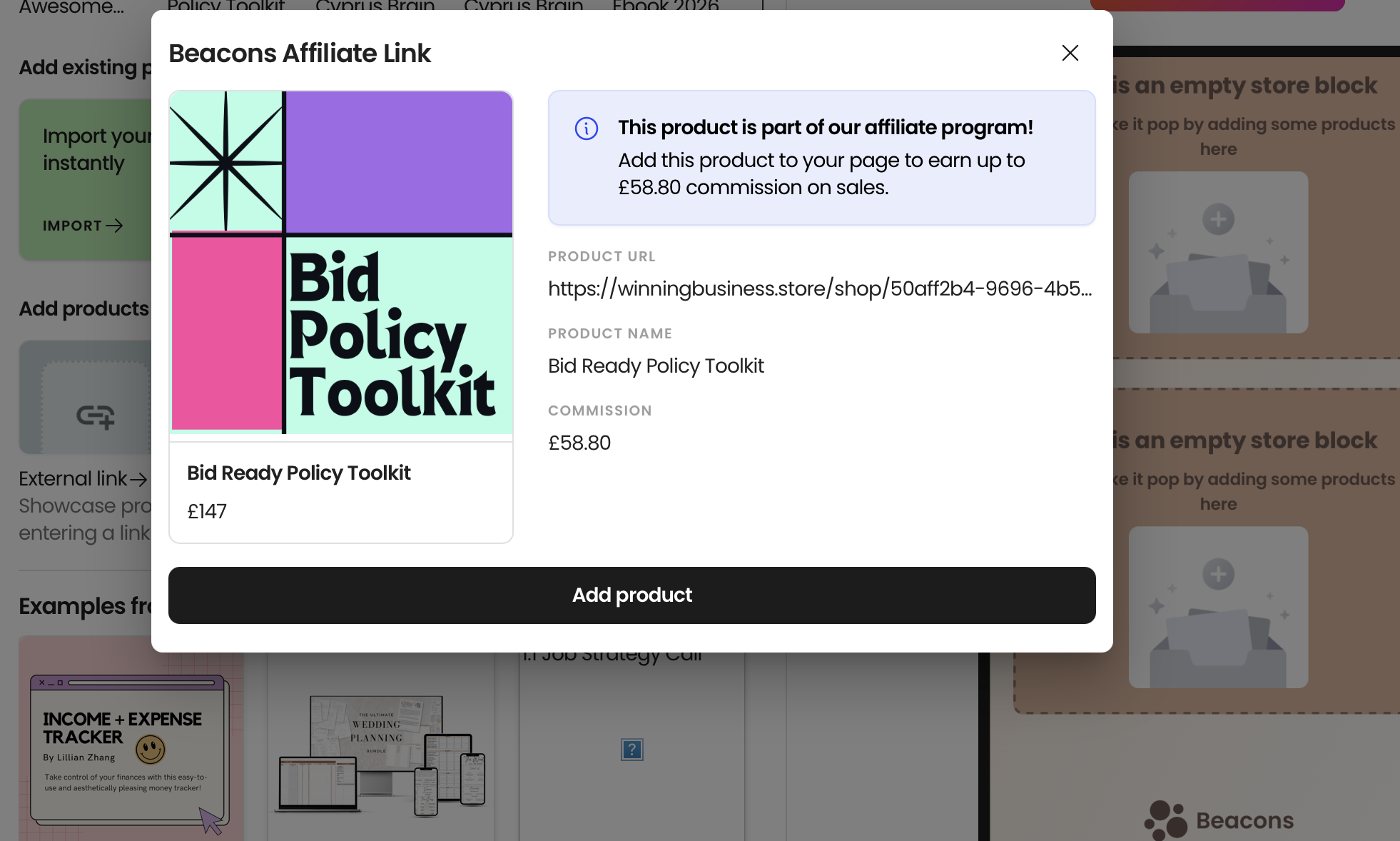
PASTE THE AFFILIATE LINK HERE
Paste the affiliate link here, as shown below, within the external link pop-up. A quick reminder: https://winningbusiness.store/shop/50aff2b4-9696-4b51-a796-05418424497d?affiliateLinkId=f7e6e7c0-090c-4338-b629-e444e05f51c2
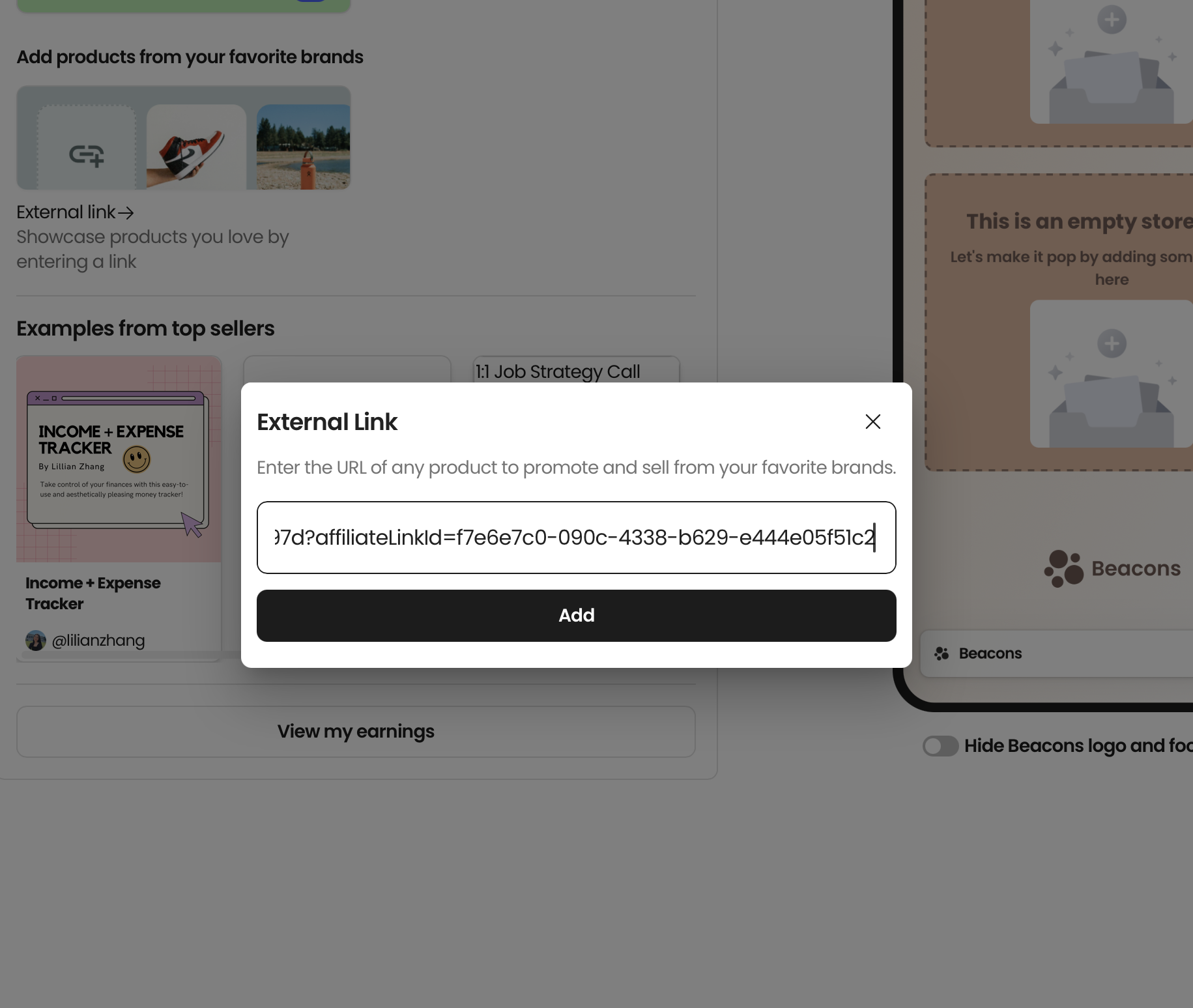
THE AFFILIATE PRODUCT WILL BE SHOWN
Simply enter your external link, which is the affiliate link for the product you are promoting and add the product to your dashboard.
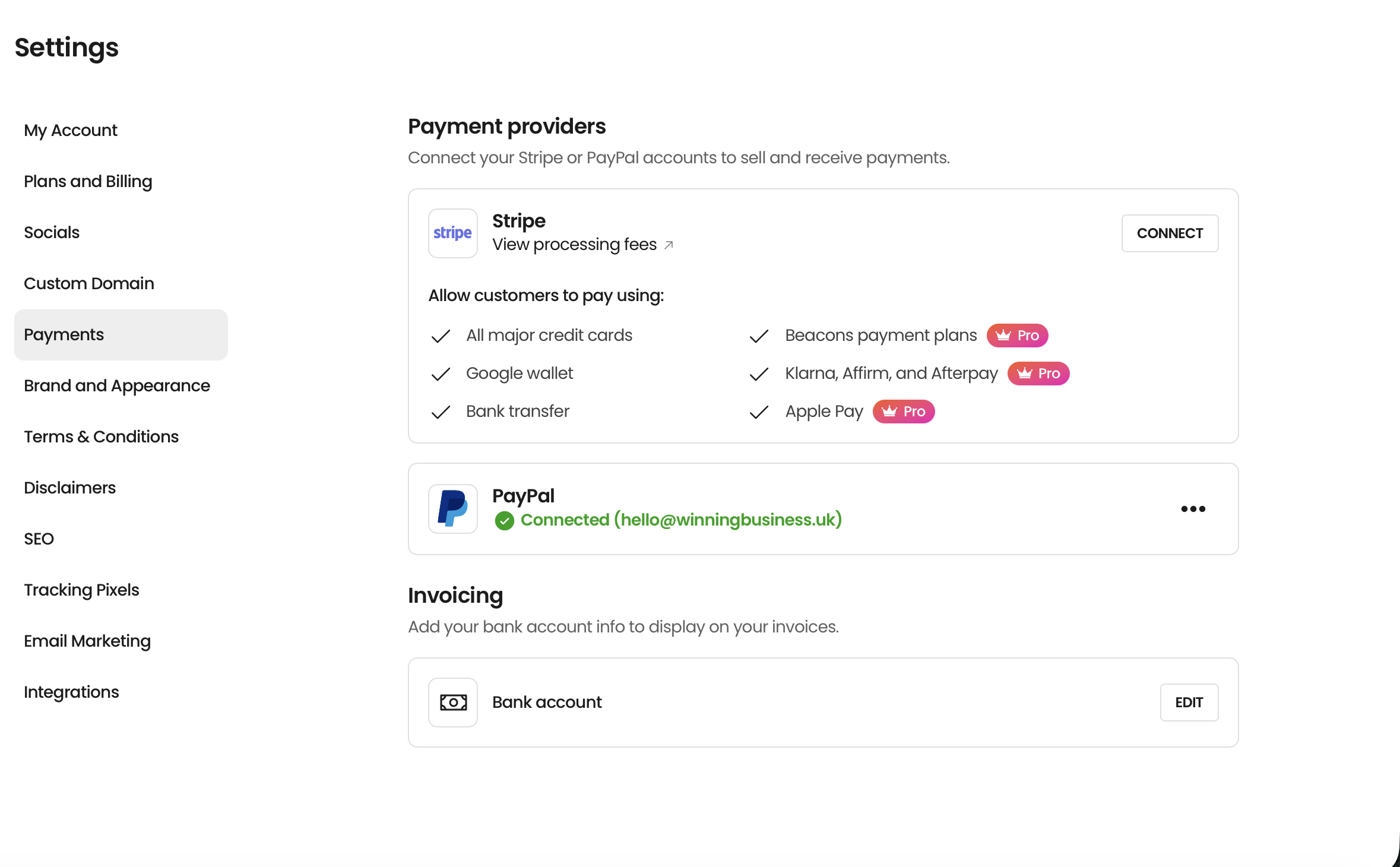
DON’T FORGET YOUR PAYMENT DETAILS!
Head to “Settings” and “Payments” in order to set up your preferred payment methods.